Projects, at a glance
Start here.
Stay in flow.
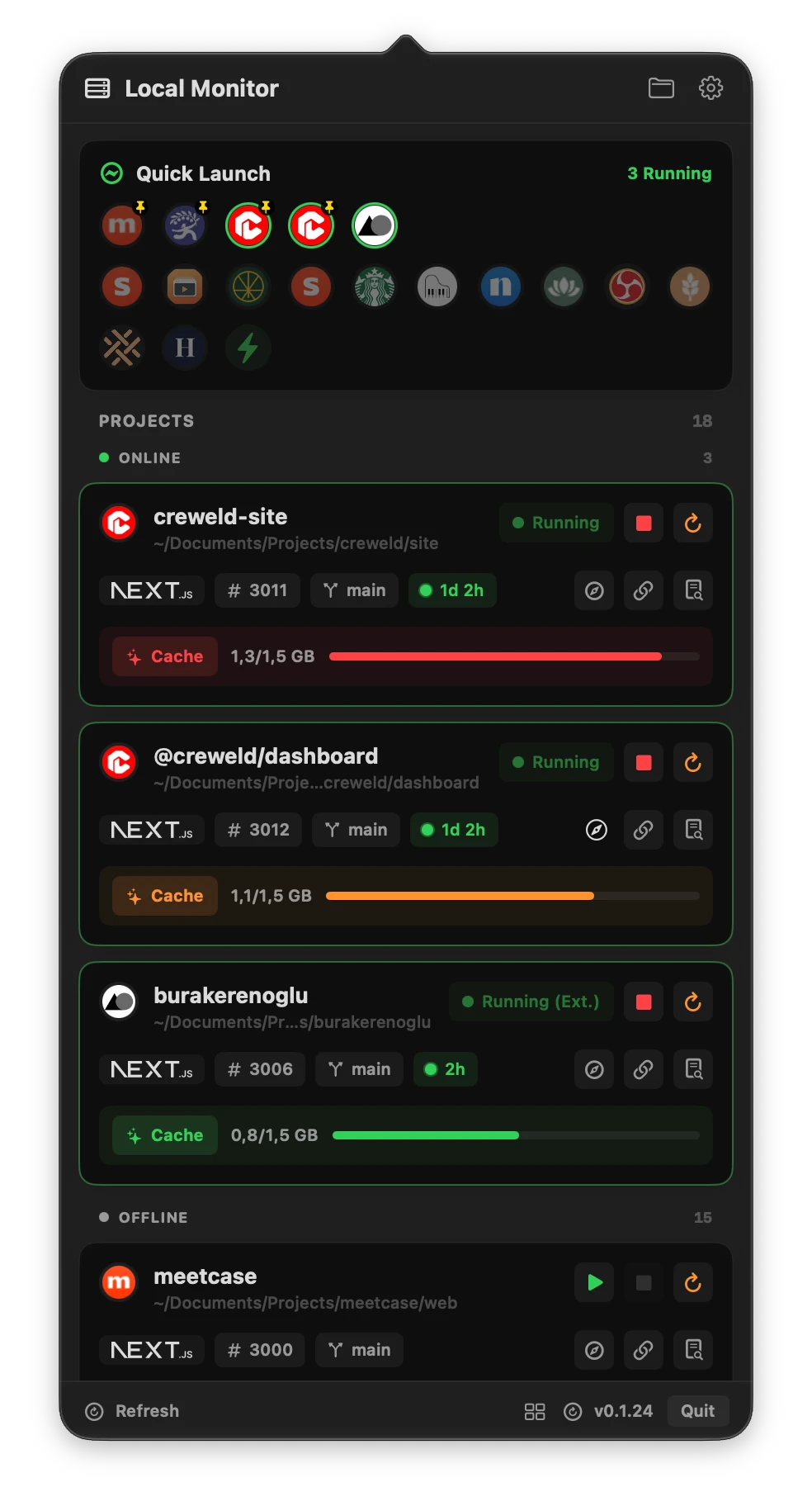
Start, stop, restart and open your local projects from one familiar panel.
A menu bar home for localhost
Start, stop and switch between local web projects without juggling terminal windows. Your servers, ports and workspaces, one click from your menu bar.
Apple Silicon · macOS 14+
A little less terminal juggling.
Projects, at a glance
Start, stop, restart and open your local projects from one familiar panel.
Ports + Local hostnames
Keep preferred ports and local addresses close. Spot a project that starts somewhere unexpected.
Workspace apps
Find runnable apps in npm workspaces. Each keeps its own folder, command and port.
Saved project groups
Save projects as a group, then start or stop them together. Keep your usual setup one click away.
The useful little extras
Open logs, copy a URL, reveal a folder, and clean supported framework caches on demand.
Your setup, down to the details.
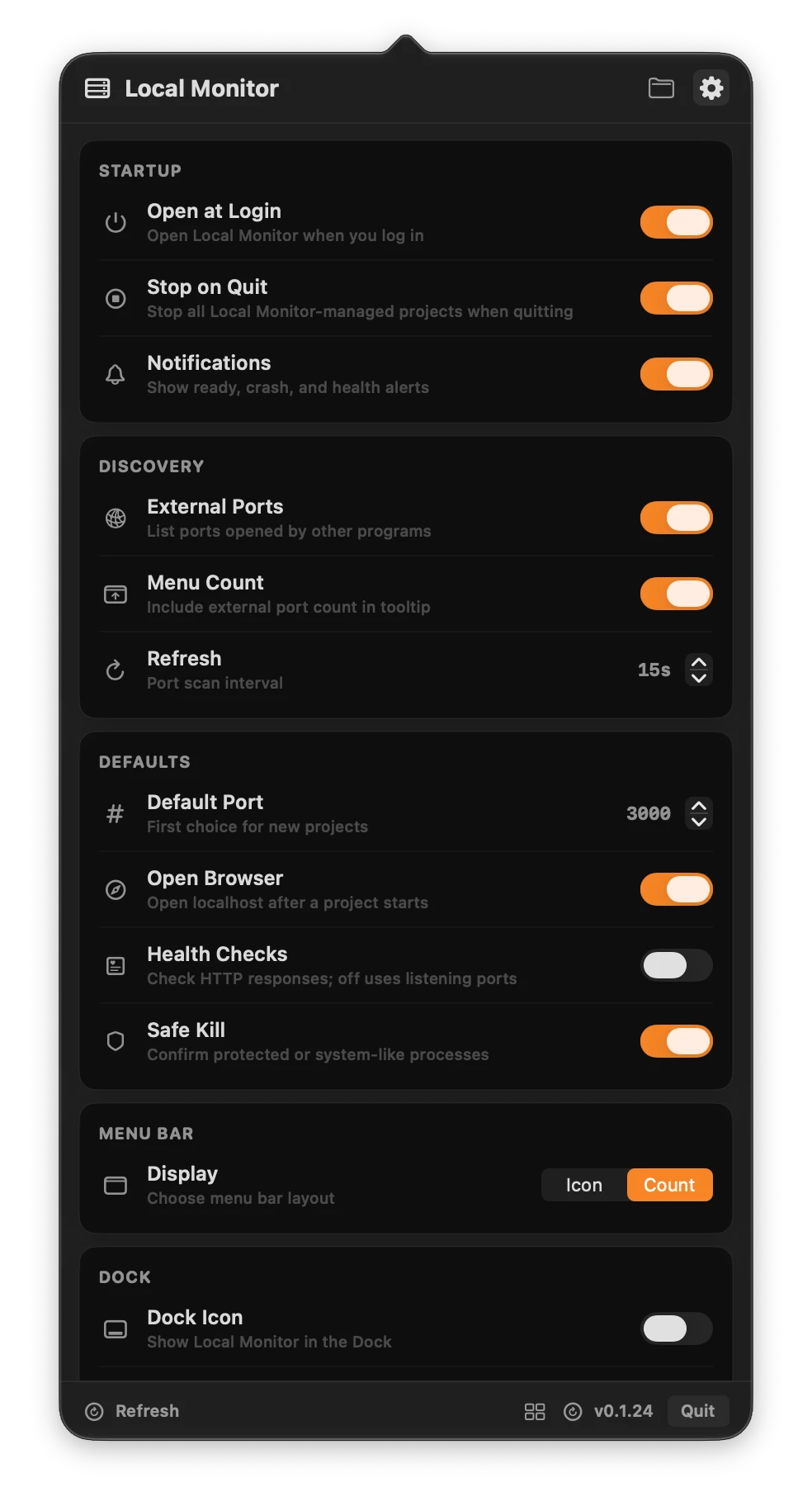
Choose your defaults once, then keep your workflow close. Control discovery, browser opening, notifications and readiness checks from the app’s settings.
Up and running
Download the latest DMG, drag Local Monitor into Applications, and open it from your menu bar.
Add a project folder or npm workspace root. Select the apps you want and check their launch commands and ports.
Start a project, open its local address, and keep its logs close. Save a group when you want to start several projects together.
A few useful answers
The current download is for Apple Silicon Macs running macOS 14 or later. Local Monitor manages local development servers; install the runtime and dependencies required by each project before starting it.
Yes. Add the root containing package.json and its npm workspaces list, then select the runnable apps you want to save. Workspace Apps lets you add siblings later. Each saved app keeps its own folder, command, hostname and port.
Yes. Save a local hostname such as studio.localhost in a project’s Launch Settings. Browser links, copied URLs and HTTP health checks use that address. A project can also offer shortcuts for detected literal localhost origins.
You can create a saved group and start or stop those projects together. Local Monitor does not automatically resolve or start an app’s API or other dependencies; add and start those services separately, or include them in a group.

Apple Silicon · macOS 14+ · Latest stable release